
The annual launch cycle makes it easy to mistake novelty for necessity. A new device should remove a real limitation. Start by identifying what is actually slowing you down: battery life, performance, compatibility, or lack of security updates.
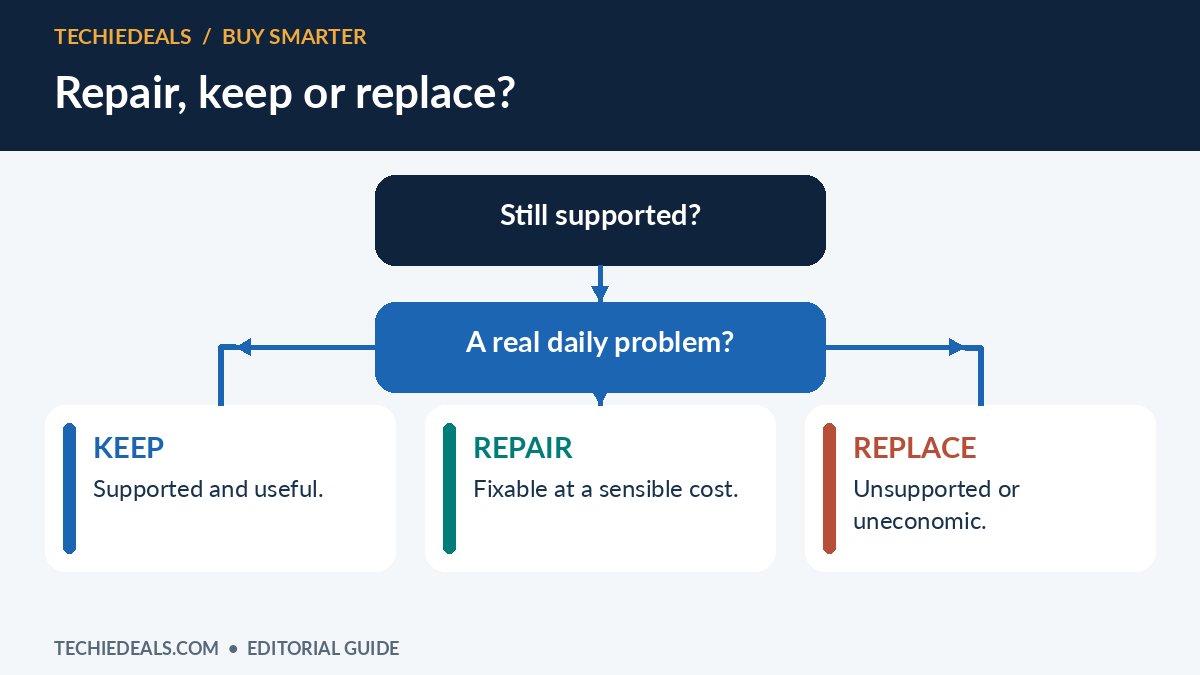
Start with support
Check whether the device still receives security updates and works with the apps you rely on. Unsupported hardware may need replacement even if it feels fast enough.
Measure the problem
If your laptop runs slowly, inspect storage space and memory pressure. If your phone drains quickly, check battery health. A repair, cleanup or battery replacement may solve the problem for much less.
Compare the options
Get a repair quote and compare it with the cost of a suitable replacement, including accessories, migration time and trade-in value. Do not assume the latest model is the only option.
The TechieDeals Take
Upgrade when the improvement is meaningful in your daily life, not merely because a new model exists.
Editorial archive date: 2026-09-10. First published November 27, 2026; this is a newly revised edition.